Sample RV Inspection Report

A real report generated by WanderWise, shared the same way a live client report would be: through the inspector web portal. See what a finished inspection looks like before you commit to anything.

What this sample report is

This is a real report, not a mockup. Sample Inspection is a demonstration report generated by WanderWise and shared the same way a live client report would be: through the online report viewer at portal.wanderwiservreports.com. It's built by Sample Company, with John Smith as the inspector and Jane Doe as the customer, dated January 24, 2025, report #SampleIn.

The inspected unit is a 2019 Grand Design Reflection 312BHTS travel trailer in white. WanderWise's VIN tag scan captured a GVWR of 10,995 lb (4,987 kg) and a cargo carrying capacity of 1,347 lb, along with two axles, each rated for a 5,200 lb GAWR on ST235/80R16 LRE tires. The VIN on file, 1SAMP2019RVLE34567, is a placeholder built for the demo, not a real vehicle. All of it populates the Vehicle Details and Axle Information sections automatically, the same way it would on a live inspection.

What the online viewer shows

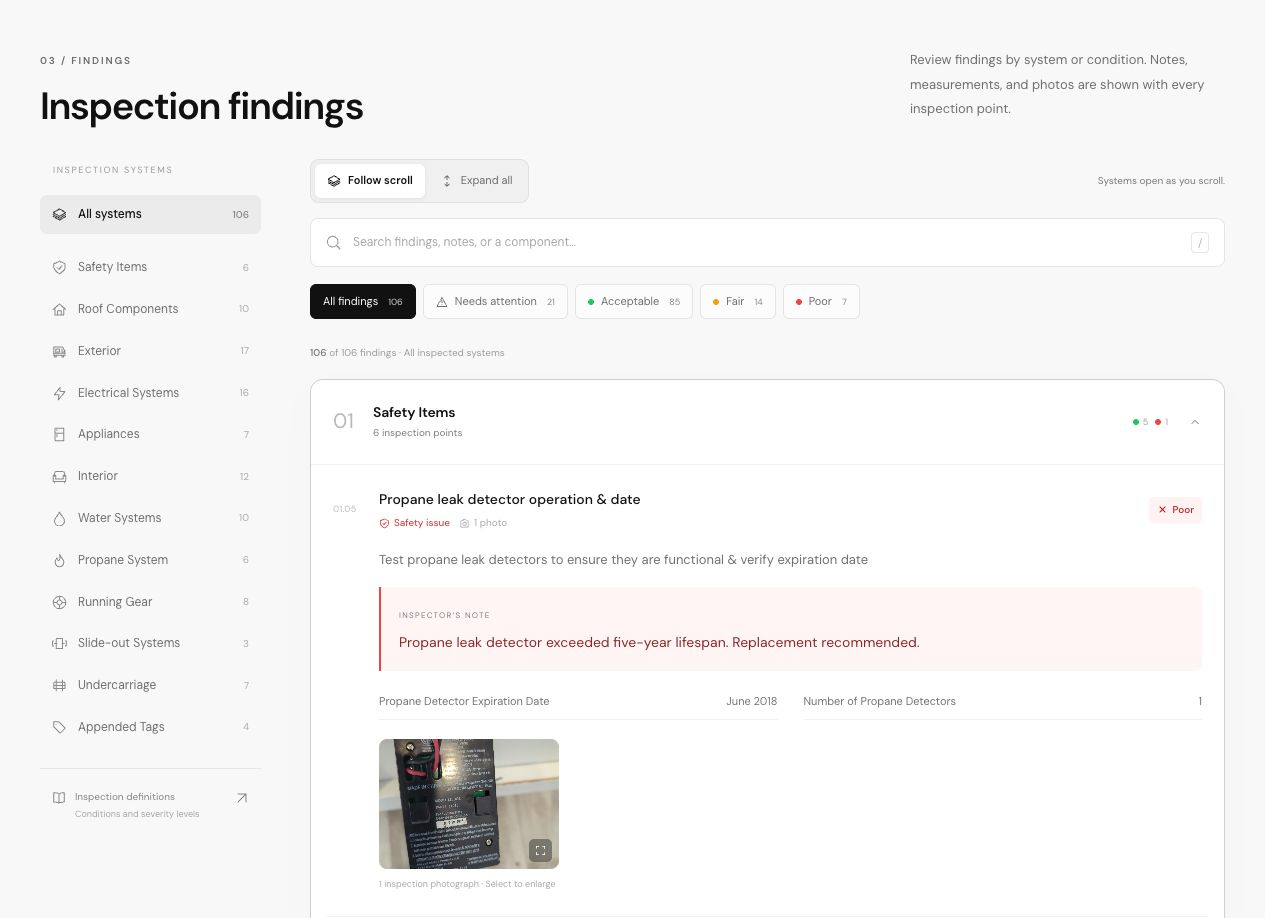
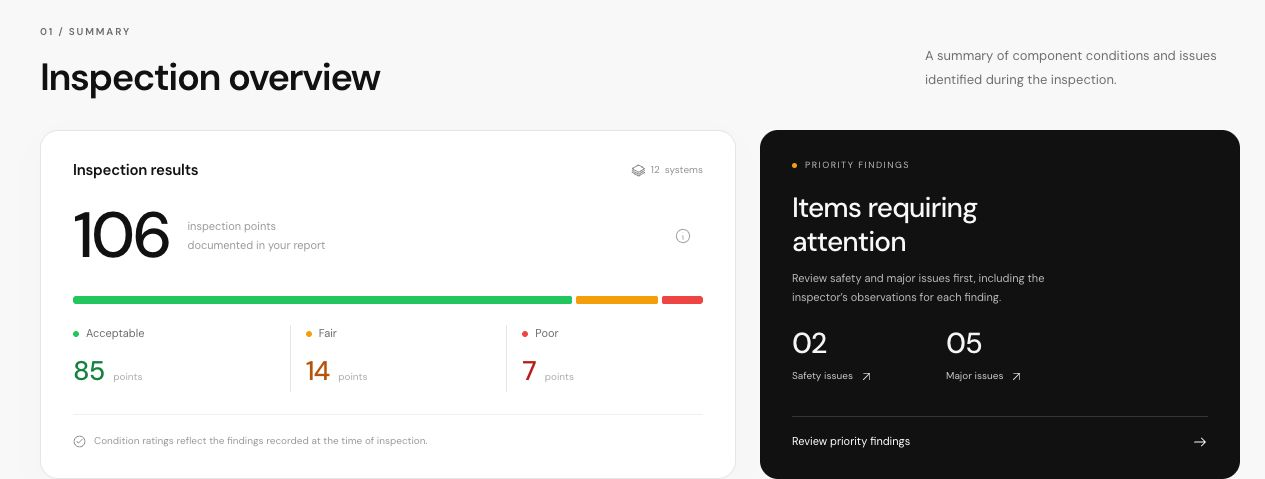
Open the report and you land on a cover photo with a prompt to scroll to view the report. Below that is an Inspection Details block with the inspector, customer, and date, then Vehicle Details (year, make, model, VIN, GVWR, CCC, and color) and Axle Information for each axle. An Inspection Definition Overview explains how to read what follows: condition ratings of Acceptable, Fair, or Poor, and severity levels of Safety Issue, Major Issue, Minor Issue, or Comment. From there, a table of contents lists every inspected system in order, starting with 1.0 Appended Tags (License Plate, RVIA Seal, VIN Tag, and Cargo Carrying Capacity Tag), with each item showing its condition rating. A PDF download button sits at the top if you'd rather have a copy than the live view.

This demo shows the same report format every WanderWise inspection produces, built from the same 190+ inspection points across 15 system groups used on a live job. To see how the report gets assembled in the first place, read how WanderWise's report software builds it during the inspection, or walk through a full write-up in our guide to report structure. Then open the live version below and scroll through it yourself.

Sample RV inspection report generated by WanderWise RV Reports, shown in the online report viewer
Desktop view of the online report viewer
Sample RV inspection report generated by WanderWise RV Reports, shown in the online report viewer on a mobile device
Mobile view of the same report

What every WanderWise report includes

  • Cover and RV details from the VIN scan

    The VIN tag scan fills in year, make, model, VIN, GVWR, and cargo carrying capacity automatically.

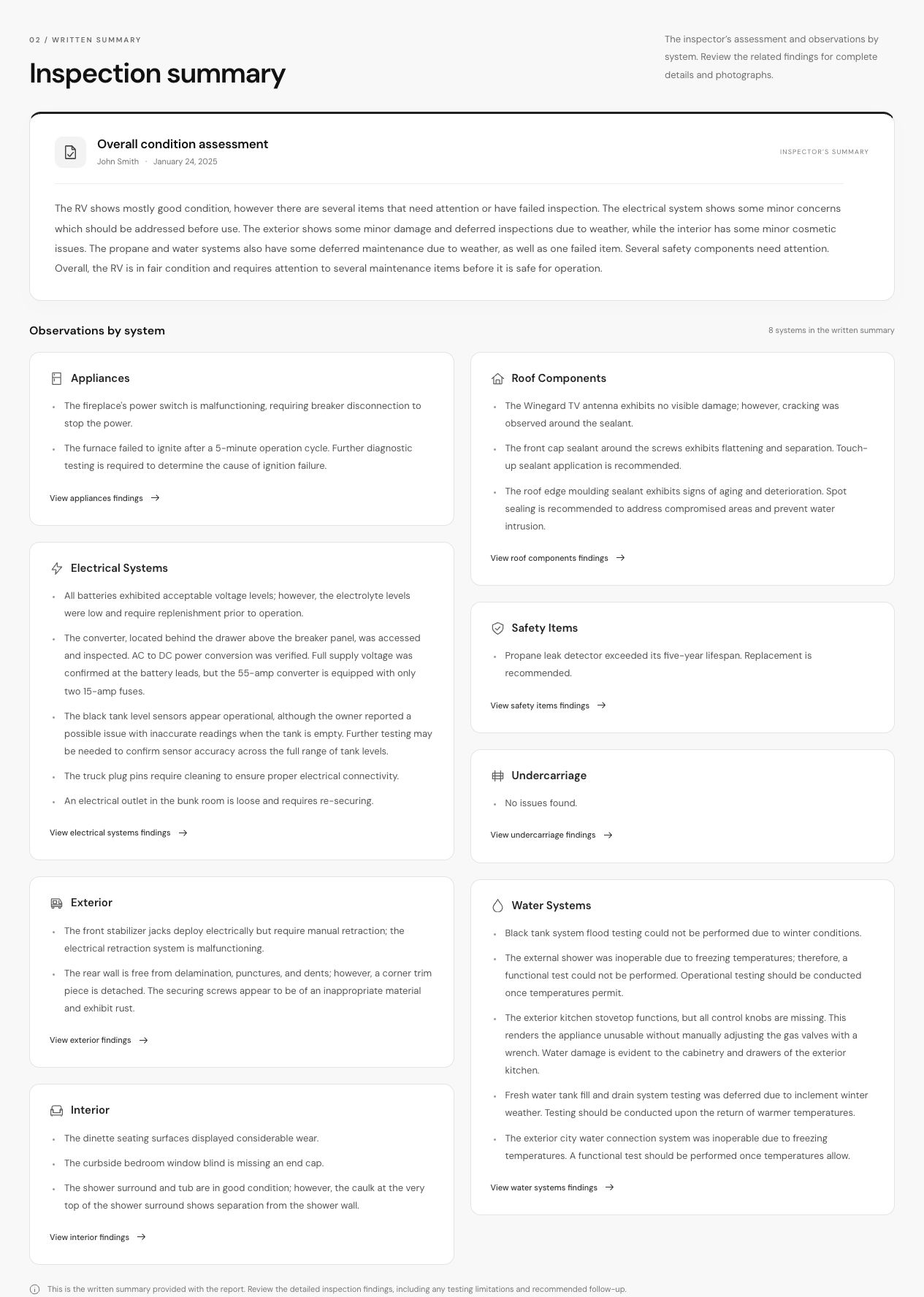
  • AI-generated summary

    An AI-drafted summary of the inspection, reviewed and edited by the inspector before it goes out.

  • Findings grouped by system

    Every finding sits under its RV system, from Appended Tags through Motorhome Components.

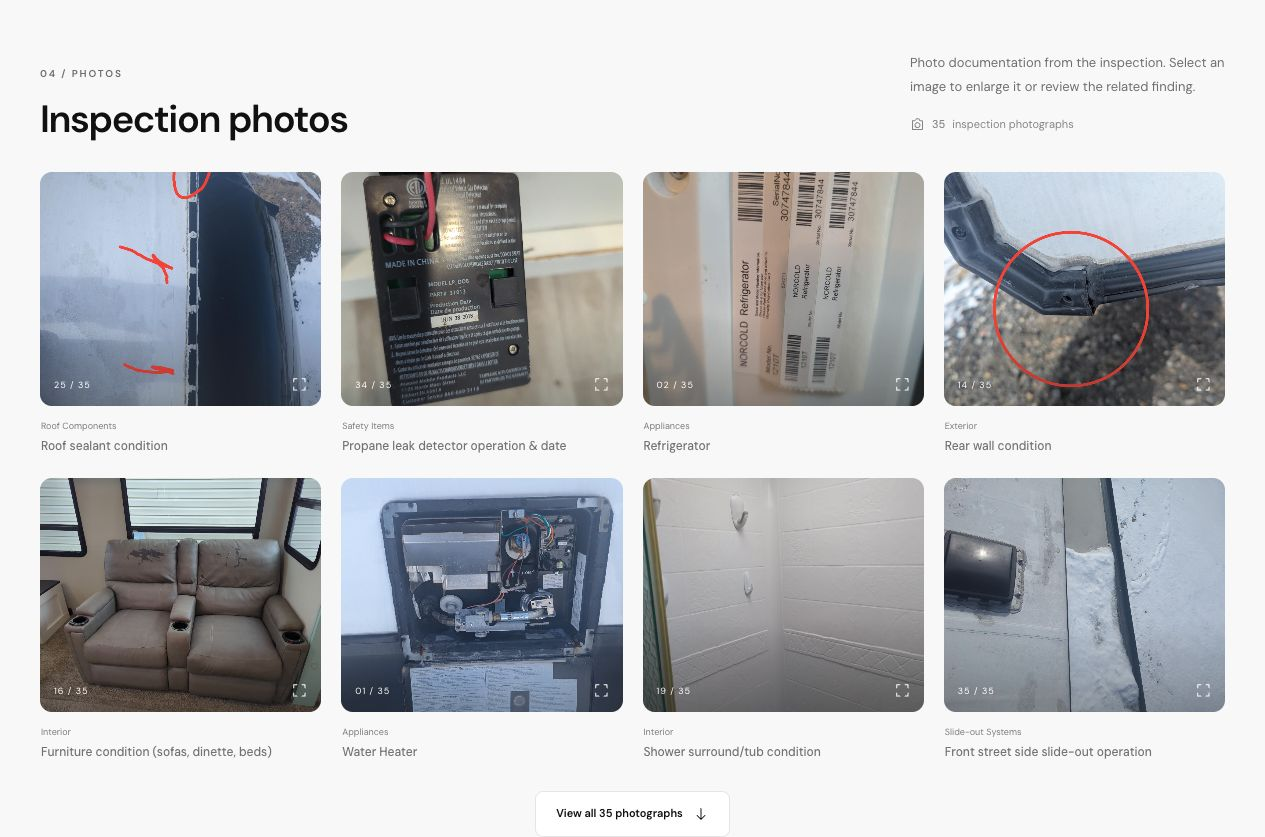
  • Annotated photos

    Photos are marked up to show exactly what a finding is and where it's located.

  • Severity and recommendations

    Each finding carries a condition rating and severity level, from a comment up to a safety issue.

  • Inspector branding and contact

    The report carries the inspecting business's name and contact information throughout.

Common questions about this report

Can clients see the report without an account?

Yes. The online report viewer opens with just the report link. No login or account is required to view it.

Is the report available as a PDF and online?

Yes. Every report is available as a downloadable PDF and as an online report with the same content.

Can I hide sections of the report?

Yes, to an extent. Build a custom template with only the systems and points that apply to the job you're running, so the report reflects that scope from the start.

Can I add my own logo to reports like this one?

Yes. Every report carries your logo and business contact information instead of a generic template.

Ready to generate your own report?

Start your 30-day free trial today. No credit card required.

30-day free trial. No credit card required. Cancel anytime.