Your notes set the rating.
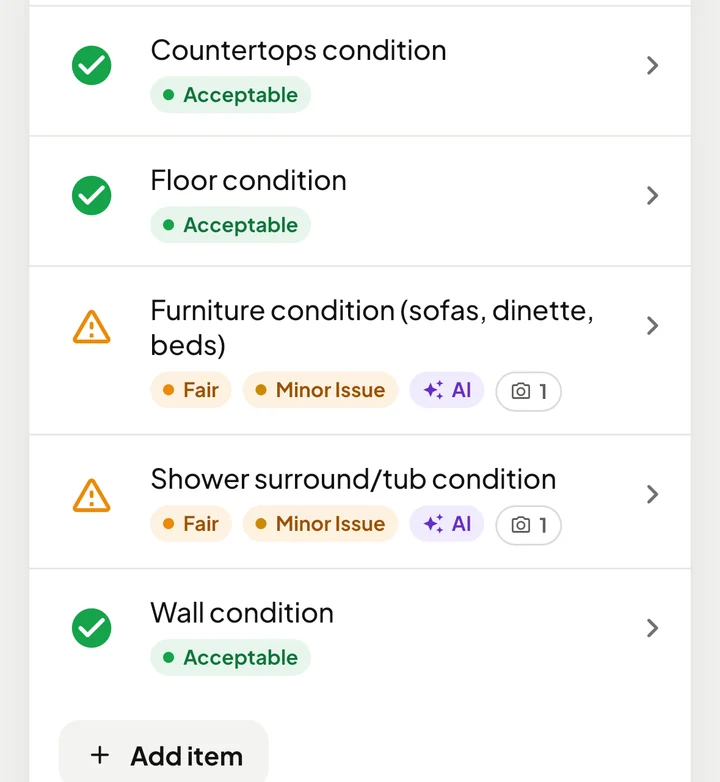
Leave the condition blank and AI sets the status and severity from what you wrote. Every rating it sets is tagged AI, and you can change it at any time.
Capture photos, scan VIN tags, let AI rate items and mark up photos, customize your checklists, and deliver branded reports. WanderWise connects the work you do in the field with the records you manage in the web portal.
Purpose-built for RV inspectors, dealerships, and mobile technicians. Explore the workflow below.
Choose a template for the RV in front of you. Scan its VIN tag to capture vehicle specifications, then make the inspection your own.
Explore the inspection pointsTake photos and write or speak your notes. AI sets the status and severity, marks up the damage in your photos, and tidies the wording. You review every finding.
Explore inspection featuresTurn your findings into a branded PDF and an online report. Give clients an organized, accessible record of the RV’s condition.
See a sample report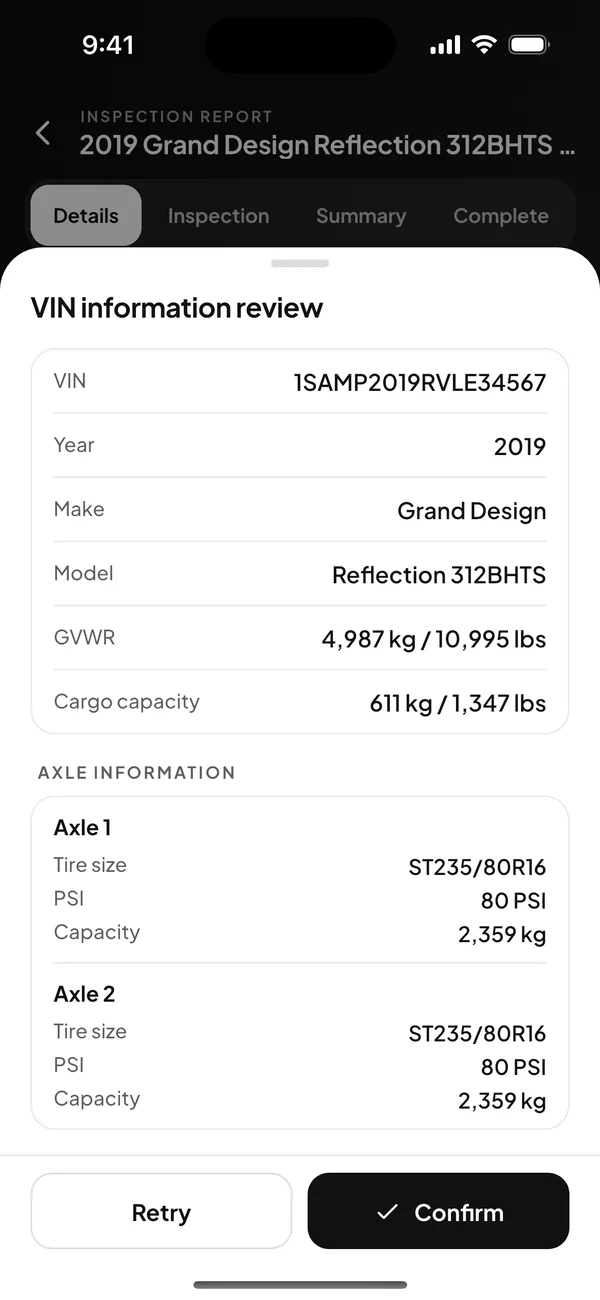
AI now handles more of the busywork in the field, from condition ratings to photo markup. It suggests, and you decide what goes in the report.
Write what you found, and WanderWise circles and labels it in your photos. It works in the background after you close the item, so you can move on to the next one.
The original photo is kept for a week, so you can remove the markup with one tap.
Optional. Turn it on in Settings.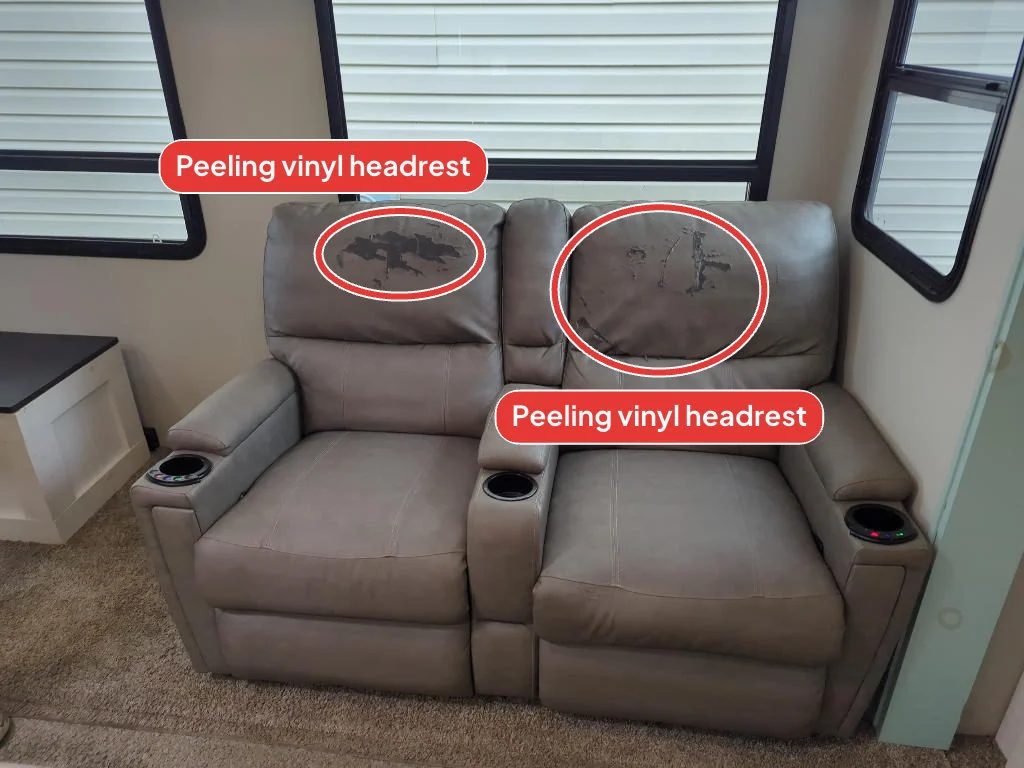
Leave the condition blank and AI sets the status and severity from what you wrote. Every rating it sets is tagged AI, and you can change it at any time.
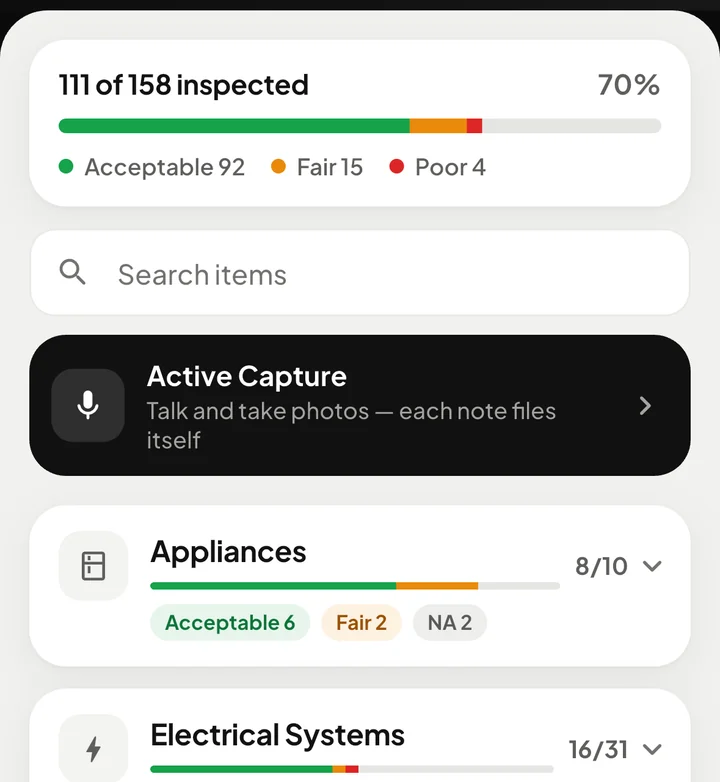
Describe what you see and take photos as you go. Each observation is filed under the right inspection point with its note, status, and severity.
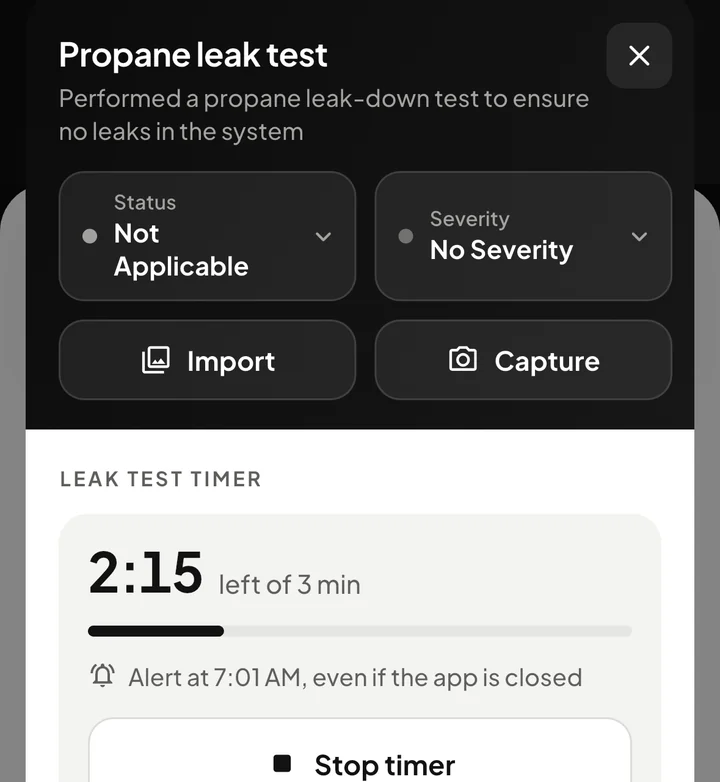
Run a leak-down test on a timer and get an alert when time is up, even if the app is closed. Tap the alert to go straight back to the item.
Practical tools for thorough inspections. All included in your WanderWise subscription.
Describe the concern in your notes and AI circles and labels it in your photos, in the background after you close the item. Turn it on in Settings. The original photo is kept for a week, so one tap removes the markup.
Explore auto-annotated photosLeave the condition blank and AI sets the status and severity from your notes. Ratings it sets are tagged AI, and you can change them at any time. Your call is the one that goes in the report.
Explore automatic status & severityTalk through what you see and take photos as you go. WanderWise files each observation under the right inspection point with its note, status, and severity, so you can keep your hands on the RV.
Explore Active CaptureRun a leak-down test on a built-in timer. You get an alert when time is up, even if the app is closed, and tapping it takes you back to the item.
Explore leak test timersHave AI fix spelling and grammar, or rewrite your notes in a professional tone when you close them. Prefer your own words? Keep them exactly as written.
Explore AI note assistCapture the VIN, weight ratings, and vehicle specifications from the data plate with your camera. Review the extracted details and keep them with the inspection record.
Explore VIN tag scanningStart with 190+ inspection points across 15 system groups. Add your own, adjust the order, and build templates for pre-purchase, pre-delivery, or service work.
Explore custom inspection templatesUse arrows, shapes, and notes to direct attention to a concern. Add video when movement or sound tells a story that a still photograph can’t.
Explore photo markup & videoDeliver a branded PDF and an online report. Organized systems, condition ratings, photos, and your business details make your work easy for clients to follow.
Explore reports with your name on themGenerate a summary from your findings and refine the language before sharing. Keep the safety concerns and recommendations easy to find in the finished report.
Explore a clearer first draftKeep your inspection calendar close to your work. Add a booking form to your own website in your colors and fonts, and confirm each request onto your schedule in one click. Customers get a confirmation email, plus your agreement to sign if you require one.
Explore scheduling & online bookingBring multiple technicians into an inspection with smart locking to help prevent conflicting edits. Shared templates support consistent documentation across the team.
Explore your team, working togetherCreate service agreements, collect digital signatures, and send reports from your workflow. Keep the engagement organized from the first conversation to the final handover.
Explore agreements & client deliveryWork in the native iOS and Android apps, with cloud sync and a web portal for reviewing reports, managing inspections, and looking after your account.
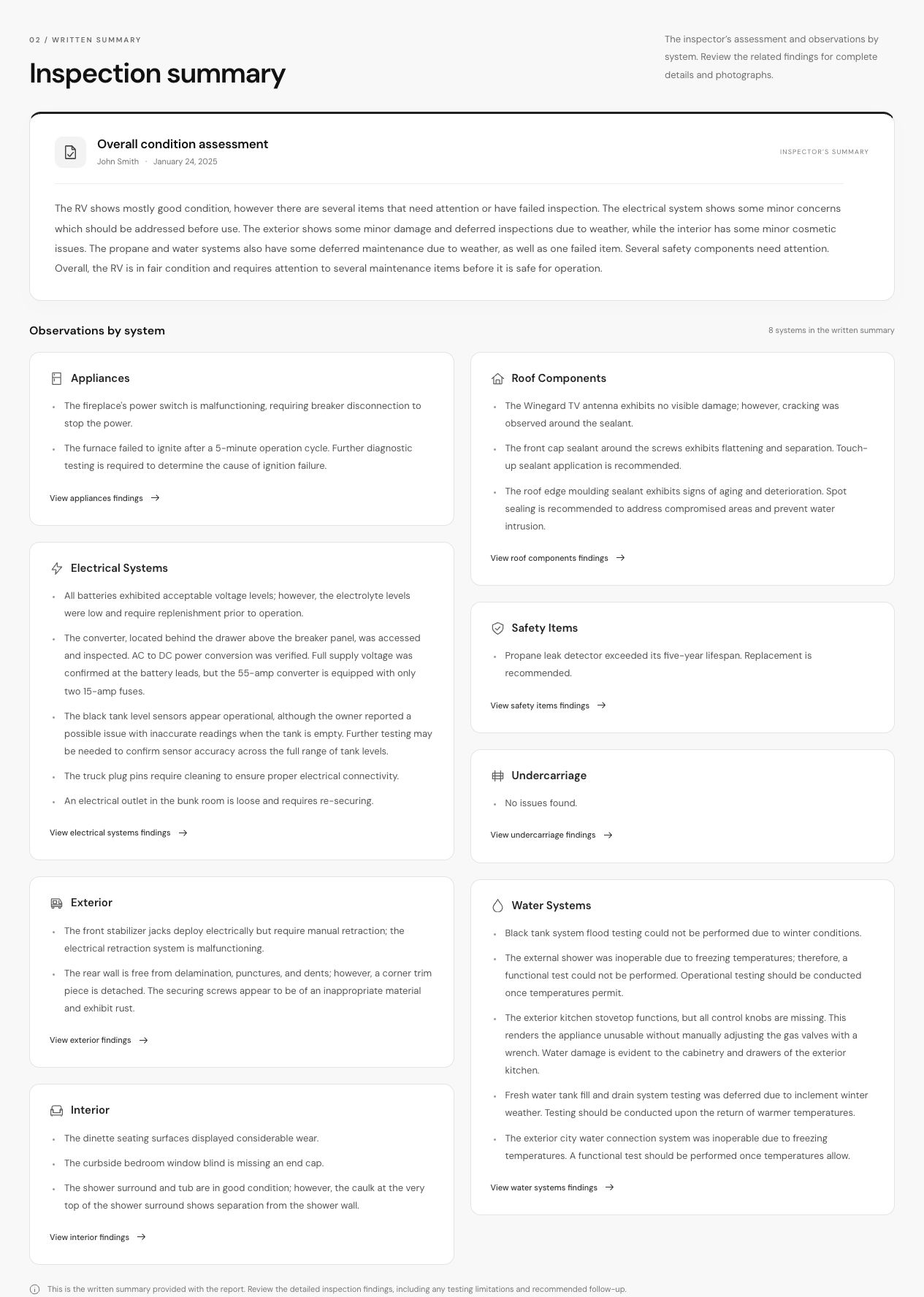
Explore connected across your devicesDeliver an online report and a branded PDF with vehicle details, findings by system, condition ratings, and annotated photos. Your written assessment helps clients understand what needs attention, and they can open the report link without creating an account.
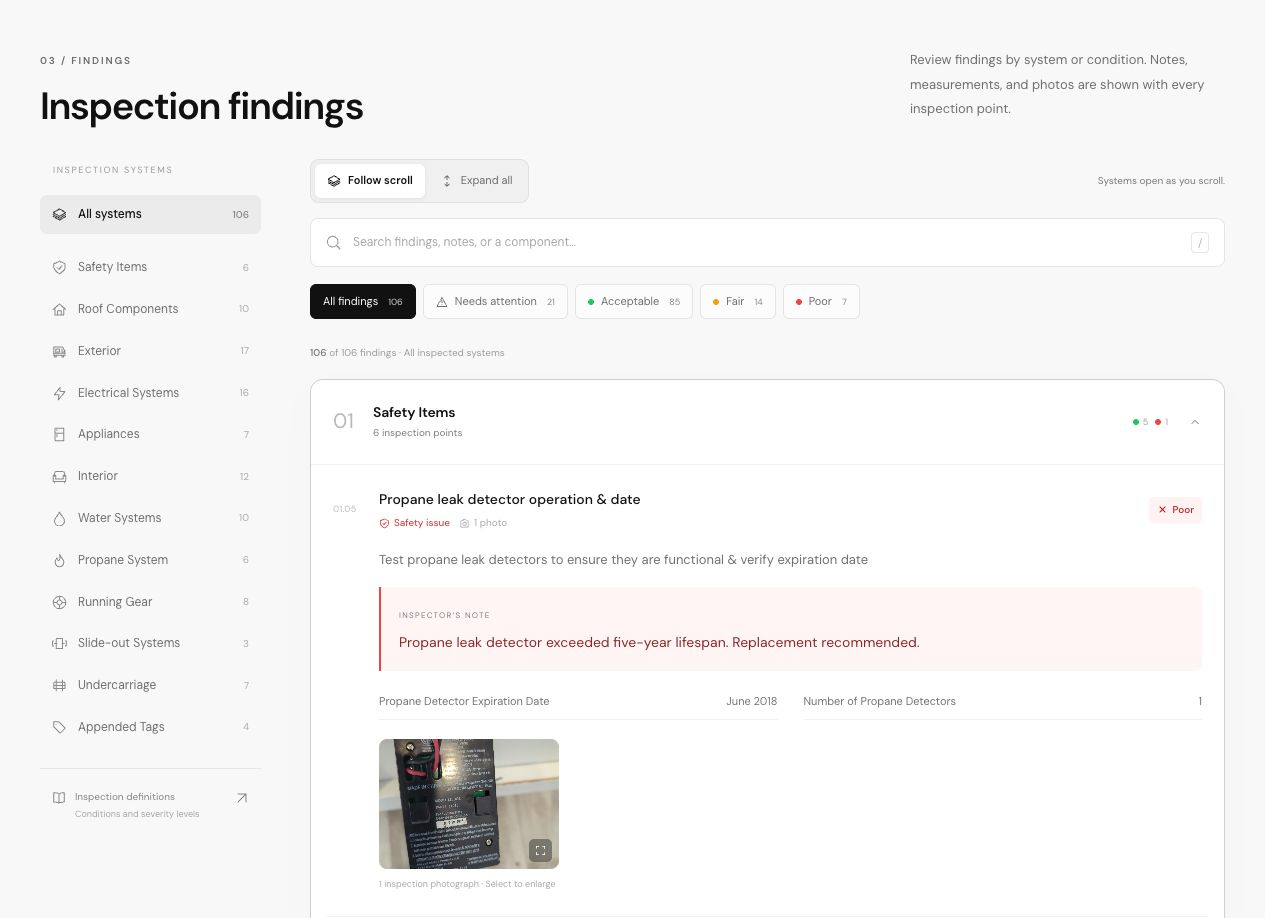
The inspector’s notes, measurements, condition and severity ratings, and supporting photos stay together for each inspection point.
An overall condition assessment leads into the inspector’s observations by system, with links to the related findings.
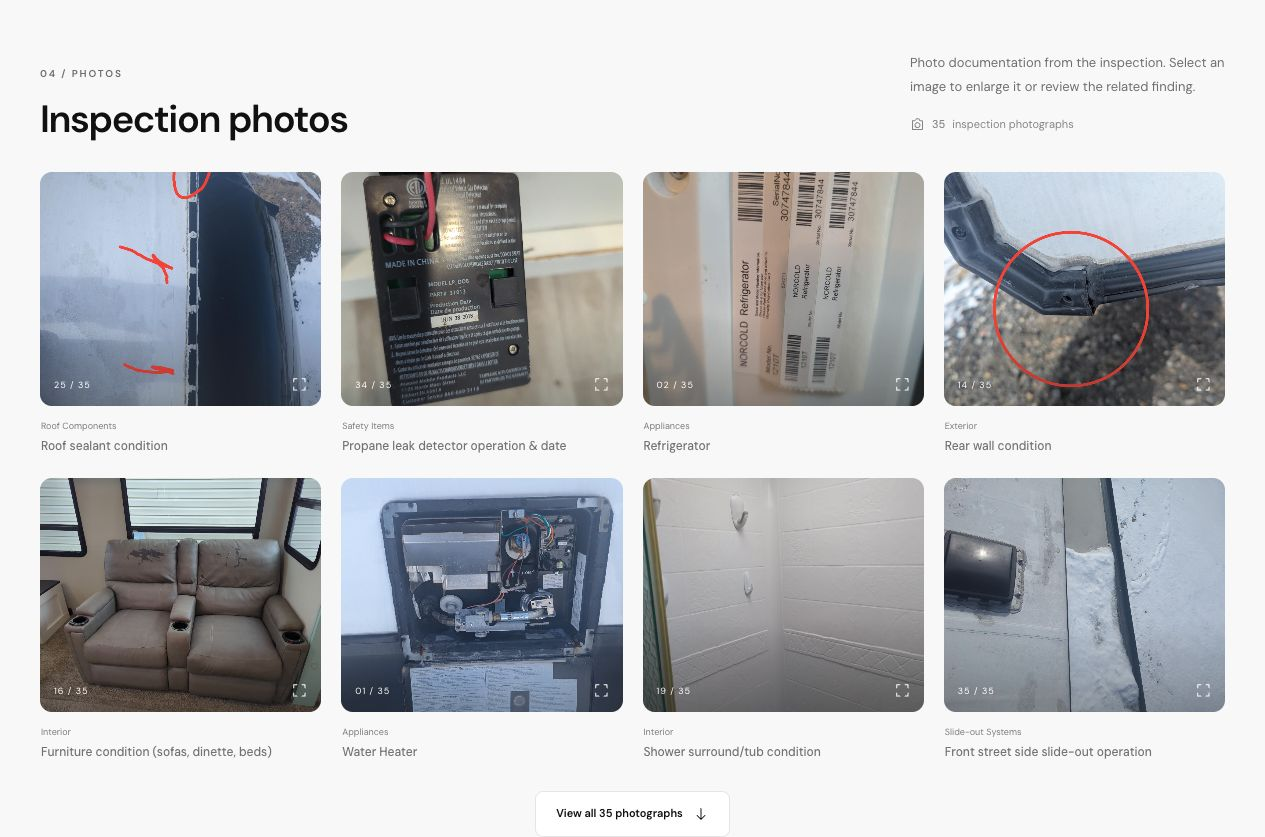
Photographs and annotations document the concerns, with each image connected to its inspection system and finding.
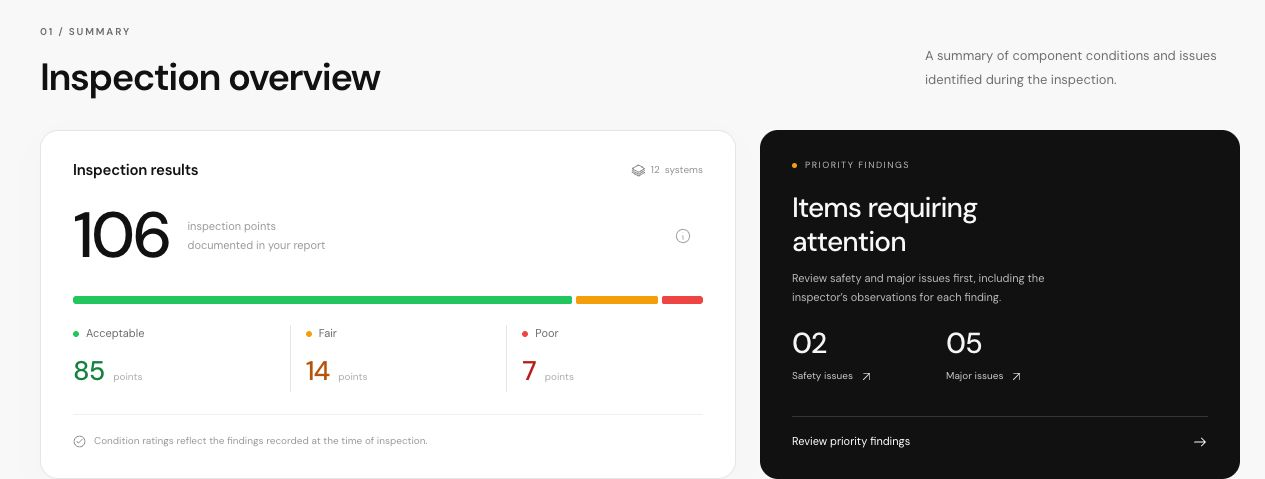
A clear breakdown of recorded conditions and priority findings helps clients see where to focus their attention.